


Car Play Link
3.5229.00 Reviews
App Specs
- Version
- 41.0
- Updated On
- License
- Free
- Downloads
- 500,000+
- Developer
- Flavapp
- Categories
- Libraries & Demo
- Platform
- Android, iOS
Screenshots
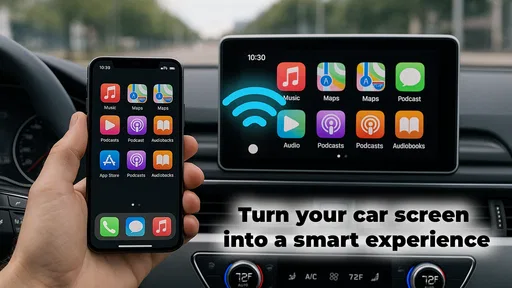
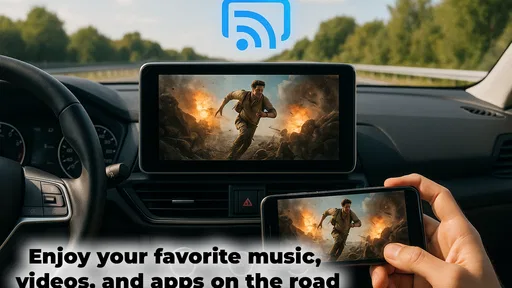
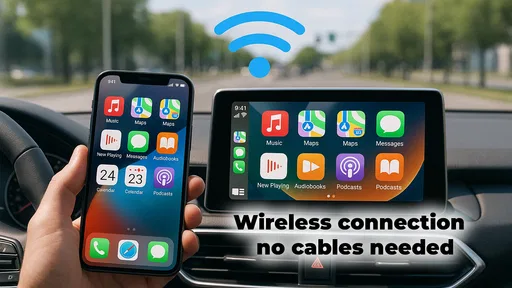
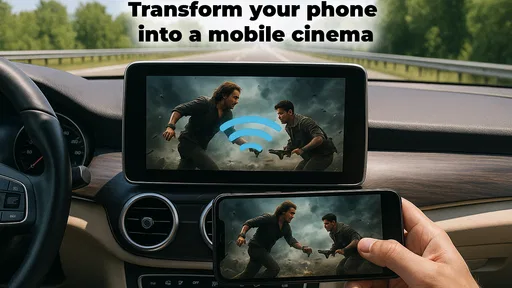
 Analysis by AppCompare
I judge a car-mirroring app by what happens between leaving home and reaching the destination: can I set it up without fuss, keep navigation and audio usable, and avoid turning the dashboard into another phone screen to manage? Car Play Link is aimed at that everyday handoff between a smartphone and a car display. It is a free app from Flavapp in the Libraries & Demo category, and its appeal is clearest for drivers who want familiar phone functions within reach in the car.
Before you connect: check the car, not just the phone
The first practical question is whether your vehicle’s infotainment system supports the connection you want to use. A phone app cannot make every dashboard compatible, so I would check the car’s manual or its system settings before relying on it for a commute. This small bit of preparation matters: discovering a mismatch in the driveway is mildly annoying; discovering it when you are late and trying to navigate is worse.
The app’s public profile gives a useful sense of its scale without settling the compatibility question for every individual car. It has passed half a million installs, with an average rating of 3.4 from around ten thousand ratings. I read that as a reason to test it with your own setup rather than assume either universal success or universal trouble. It is rated for Everyone, which describes its content rating, not a guarantee that every driver or vehicle will find it suitable.
Build a low-friction routine before moving
My preferred workflow is to connect while parked, choose the destination, set the audio source, and only then start driving. If the connection is smooth, that leaves less fiddling once the car is moving. When a route is already in progress, a dashboard handoff is most useful for keeping navigation visible and audio controls close, not for exploring menus or trying to reorganize the whole experience at a red light.
Think of a typical weekday trip: you get in, connect the phone, check that the route is showing, and start the playlist or audio you want before pulling away. If a call comes in, hands-free controls can help keep the interaction brief. The useful part is not that every task becomes effortless; it is that familiar phone functions may be easier to reach through the car setup than by picking up the phone. I would still make route changes and other complicated choices while parked.
A small but useful habit is to settle on your most-used navigation and media apps before the trip rather than switch between several options once underway. That reduces the number of dashboard decisions you need to make. It also gives you a clearer sense of whether the connection is actually helping: if you can see the route and control audio without repeatedly reaching for the handset, the setup is doing its job.
From the first connection to the drive
First things first, downloading and setting up Car Play Link is a breeze. Available for both Android and iOS, the app guides you through a straightforward installation process. Once installed, it connects with your car via Bluetooth or USB, depending on your vehicle’s compatibility. I found the connection to be quite smooth, and the app instantly recognized my car's system.
Worth Reading Before You Choose

EA SPORTS FC Mobile 26 Is a Bigger Football Game, but It Takes Time

Flipboard Shows What News Apps Must Do Beyond the Feed

Switching to Android Auto Means Rethinking Your Driving Routine

Google Calendar Makes a Crowded Week Easier to Manage

Ludo King Makes the Most of the Minutes Between Plans

Baby Panda World Brings Quick Play to Modern Phones, but Its Game Library Feels Busy
Interface and Usability
The interface is where Car Play Link shines. It mirrors the look and feel of your smartphone, making it intuitive to use. Whether you’re navigating through your music library or responding to messages, everything is just a tap away. The app also allows for voice commands, which is a lifesaver when you're trying to keep your eyes on the road.
One of the standout features is its customizability. You can rearrange icons based on your preferences, making frequently used apps more accessible. This personalization really enhances the user experience, allowing you to tailor the app to fit your driving habits.
Performance and Features
When it comes to performance, Car Play Link doesn't disappoint. The response time is impressive, with little to no lag when switching between applications. This is crucial when you’re relying on your GPS or changing tracks on a long drive.
Speaking of features, the app offers everything from navigation to media control, and even phone calls. The integration with popular GPS services like Google Maps and Waze ensures you’re always on the best route. Plus, the media controls allow you to easily switch between playlists on Spotify or Apple Music without missing a beat.
Keep the handoffs deliberate
Phone mirroring is useful when the car screen becomes a practical extension of the phone, but it is not a reason to manage the phone while driving. I would treat voice control as an option for simple requests, not as a promise that every message or command will work perfectly in every situation. If a request needs several corrections, it is safer to leave it until the car is stopped.
There is also a meaningful trade-off between a mirrored screen and built-in car controls. A familiar layout can make navigation and media feel easier to recognize, while a factory system may be more consistent with the car’s own controls and display. If your vehicle already has a reliable setup that you like, switching to an app-based workflow may add little. The better choice is the one that lets you keep your attention on the road with the least interaction.
Safety First
Driving safety is a major concern, and Car Play Link addresses this with its hands-free capabilities. The voice command feature works seamlessly with Siri and Google Assistant, allowing you to make calls, send messages, and more without touching your phone. It’s a game-changer for anyone who spends a lot of time on the road.
The app also provides a "Do Not Disturb" mode, which can be activated to minimize distractions while driving. Alerts and notifications are minimized, ensuring you can focus solely on the road ahead.
When another approach makes more sense
If your main goal is dependable navigation and your car already handles phone projection well, using the vehicle’s built-in option may be simpler than adding another layer. If you only need directions occasionally, a phone mounted securely before departure may be enough. On the other hand, a driver who regularly switches between navigation, calls, and music may appreciate having those familiar functions brought together on the dashboard.
I would skip this app if your car does not support the connection method you intend to use, if you are content with the manufacturer’s system, or if you expect mirroring to remove the need for safe driving habits. It is also not a substitute for checking a route before departure or pulling over when a task needs focused attention. The app’s value depends on the car and the routine, not simply on having a compatible phone.
Compatibility and Updates
One thing to keep in mind is that not all vehicles are compatible with Car Play Link. It’s essential to check if your car’s system supports the app before diving in. The developers are continuously updating the app, adding new features and improving compatibility with more car models.
Updates are frequent, and they often include enhancements based on user feedback. This commitment to improvement ensures the app remains relevant and functional, adapting to the ever-evolving tech landscape.
What to expect before making it part of your routine
The version currently available is 40.0, and the app first appeared on September 19, 2020. It supports devices running Android 7.0 or later, and it is free to install. Those details make it easy to try without a purchase, but I would still test the exact phone-and-car combination before depending on it for a long journey. A successful connection once is a good start; a useful daily setup is one that remains convenient across the trips you actually take.
For a first test, keep the stakes low: connect while parked, open the navigation and media functions you normally use, and see whether the dashboard presentation feels clearer than your current routine. Then try the same setup on a familiar short drive. That gives you a realistic way to judge whether the controls are comfortable and whether the handoff is worth keeping, without learning a new workflow on an unfamiliar route.
It is also worth deciding in advance what you want the app to improve. If the pain point is reaching for the phone to change audio, focus on whether media control is convenient. If directions are the priority, judge how easy it is to check the route at a glance. Having one specific goal makes the trial more useful than trying to evaluate every feature at once.
In conclusion, Car Play Link is a fantastic solution for drivers looking to integrate their smartphone with their car's infotainment system. With its user-friendly interface, robust features, and focus on safety, it’s a worthy addition to any driver’s toolkit. Whether you're commuting to work or embarking on a road trip, this app is sure to enhance your driving experience while keeping you connected and safe.
Pros
- Seamless integration with car systems.
- Supports multiple navigation apps.
- User-friendly interface design.
- Real-time traffic updates.
- Voice command functionality.
Cons
- Limited compatibility with older cars.
- Occasional connectivity issues.
- High battery consumption.
- Requires stable internet connection.
- Subscription needed for premium features.
FAQs for Car Play Link
What platforms does Car Play Link support?
Car Play Link is compatible with both Android and iOS devices. Users can enjoy seamless connectivity across various smartphones, ensuring a wide range of compatibility. Before downloading, make sure your device's operating system is up-to-date to ensure smooth integration and performance with Car Play Link.
Does Car Play Link require an internet connection to function?
Car Play Link primarily relies on your smartphone’s data connection for real-time updates and functionalities. However, some features like offline map access and downloaded content may be available without an active internet connection. For optimal performance, a stable internet connection is recommended.
How user-friendly is the Car Play Link interface?
Car Play Link is designed with user-friendliness in mind, offering an intuitive interface that is easy to navigate. Features are well-organized, allowing users to quickly access navigation, music, and other essential functions. Even first-time users will find it straightforward to get started and customize their experience.
Are there any subscription fees or in-app purchases?
While Car Play Link is free to download, some advanced features and functionalities may require in-app purchases or subscriptions. These additional options enhance the user experience but are not mandatory for basic functionality. Users should review the app’s pricing details within the app store before downloading.
Is Car Play Link secure and private to use?
Car Play Link prioritizes user privacy and security. The app uses encryption and secure protocols to protect user data, ensuring safe connectivity. It adheres to stringent privacy policies, giving users control over their data and permissions. Always review the app's privacy policy to understand how your data is handled.


